
ByPass Service
ByPass is a service that allows users to print in direct mode when the Genius Server is not available.
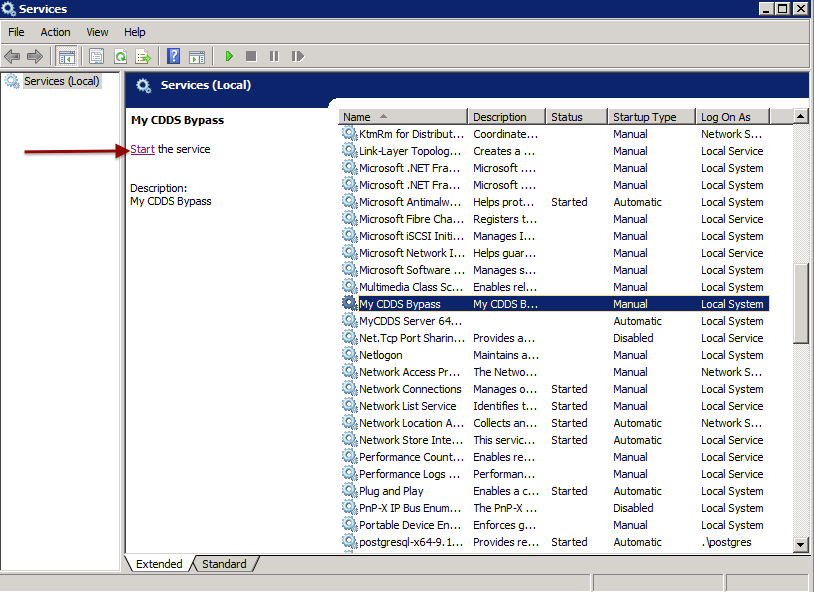
The Genius Server and ByPass service cannot work at the same time. Therefore, before you start the ByPass service, stop the activity of the Genius Server.
Installation
Go to the Genius Server root folder.
The installer files are in the bypass\bin path.
Click twice on the installer (install_service32.bat or install_service64.bat), which matches the system (32- or 64-bit). The name of the service installed is Genius CDDS Bypass.
Note
Make sure that before you start the ByPass service, the Genius Server is stopped.
Usage
There are two possible purposes for using ByPass:
Maintenance and
Recovery mode.
Maintenance
To limit disruptions during maintenance operations (e.g. database maintenance), stop the Genius Server and start the ByPass service double clicking on the file.
The direct printing is maintained.
Recovery mode
Another possible usage of ByPass is to start the service on a server different from the one in which the Genius Server is installed. When the server is not available, users can switch to ByPass (to change the configuration hostname of the company, DNS replaces Genius Server IP address with ByPass IP address) to preserve the direct print functionality.
Uninstall
To uninstall the service, go to bypass\bin path in the Genius Server folder.
Click twice on remove_service32.bat or remove_service64.bat which matches the system (32- or 64-bit).